
One notification, a keyword or a whole app.
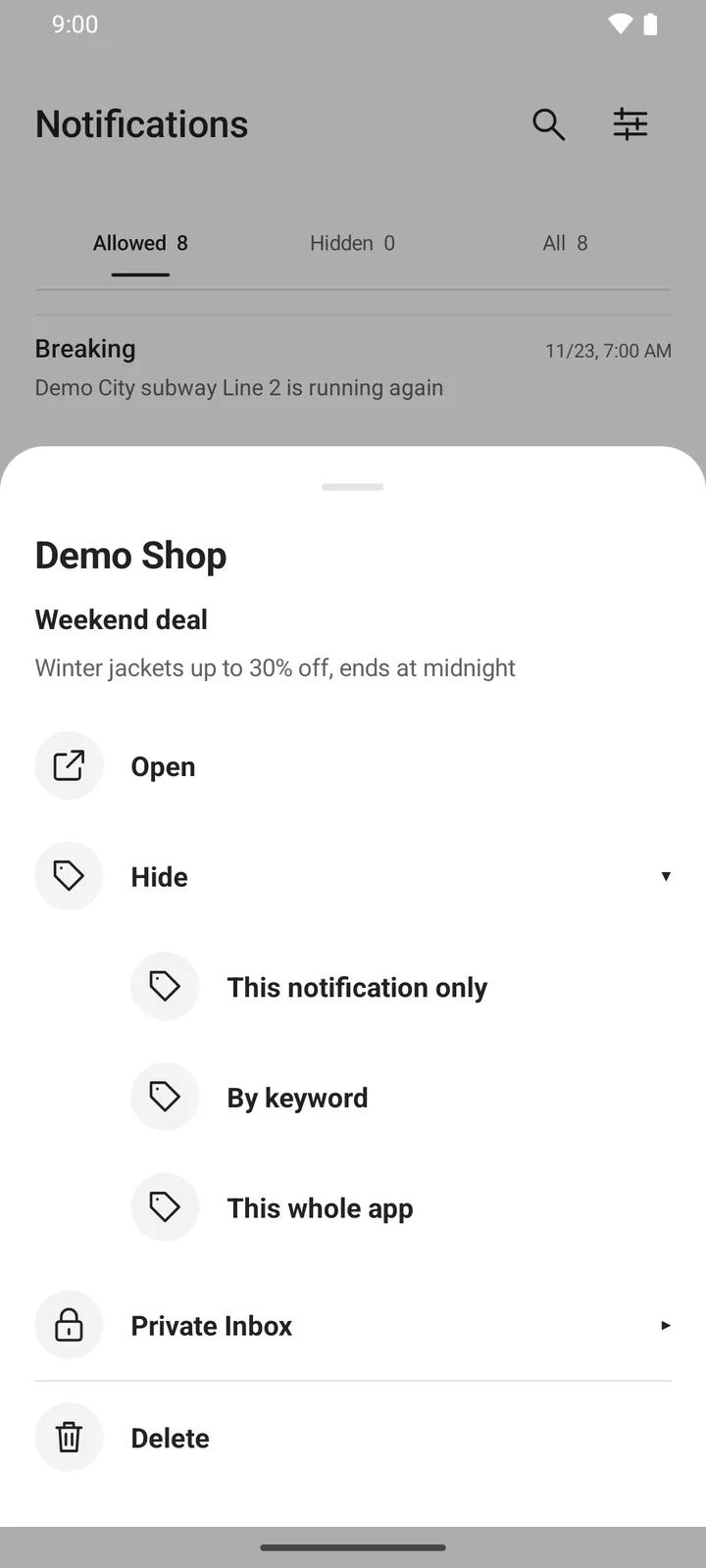
Tap a notification and choose This notification only, By keyword or This whole app. Allow an app again anytime.
NotiNutty · Android notifications
Leave important alerts in your notification shade, hide the less urgent ones by app or keyword, and read them in the app when you have time. Hidden updates are not lost.
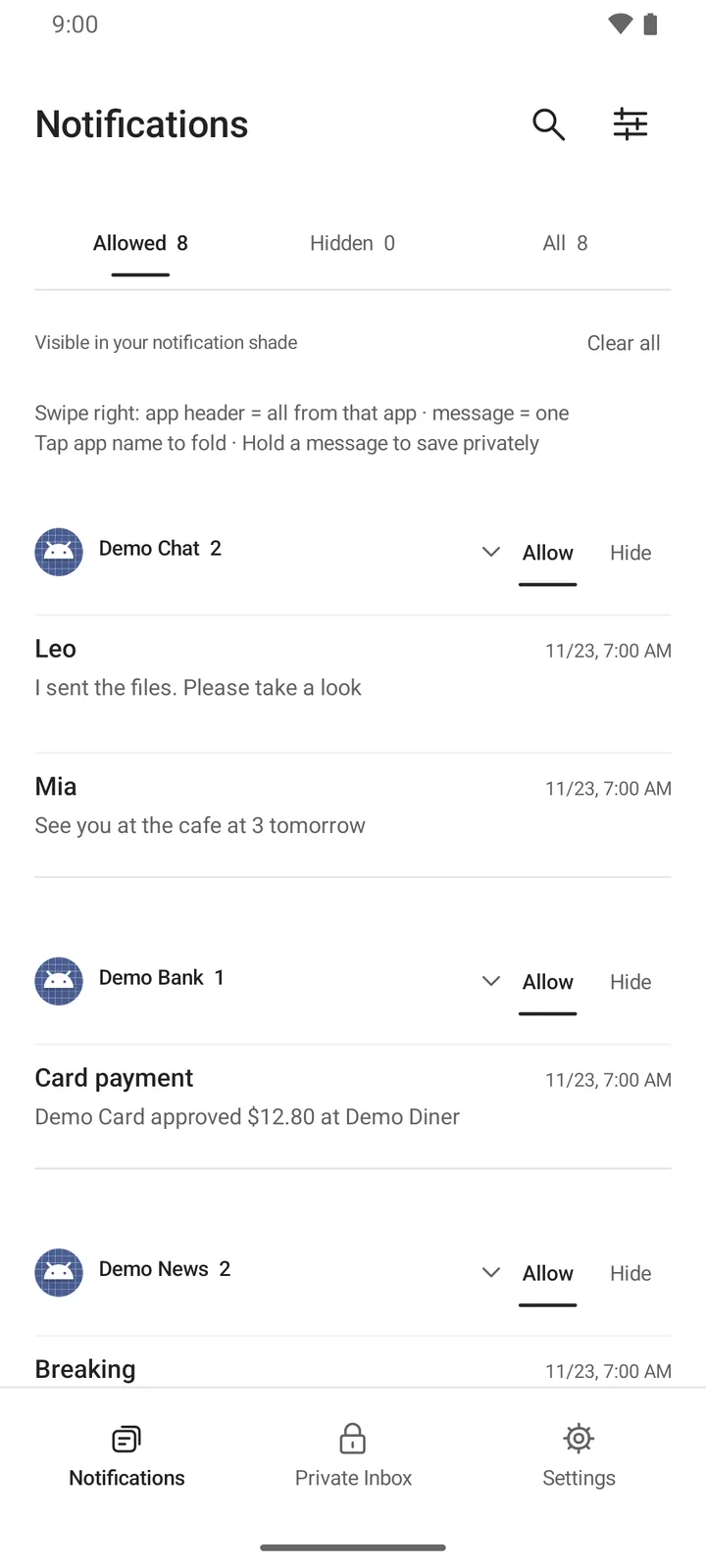
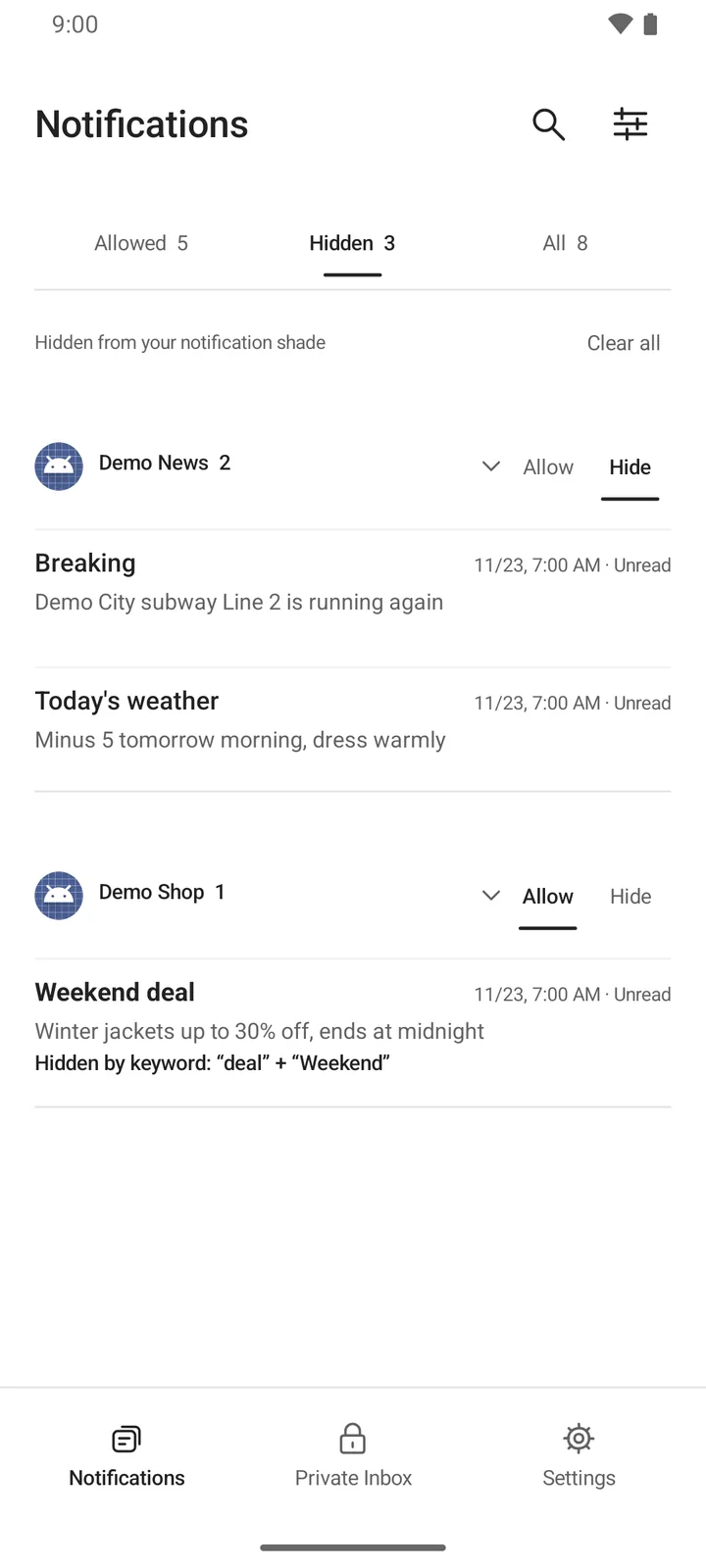
Real app screens
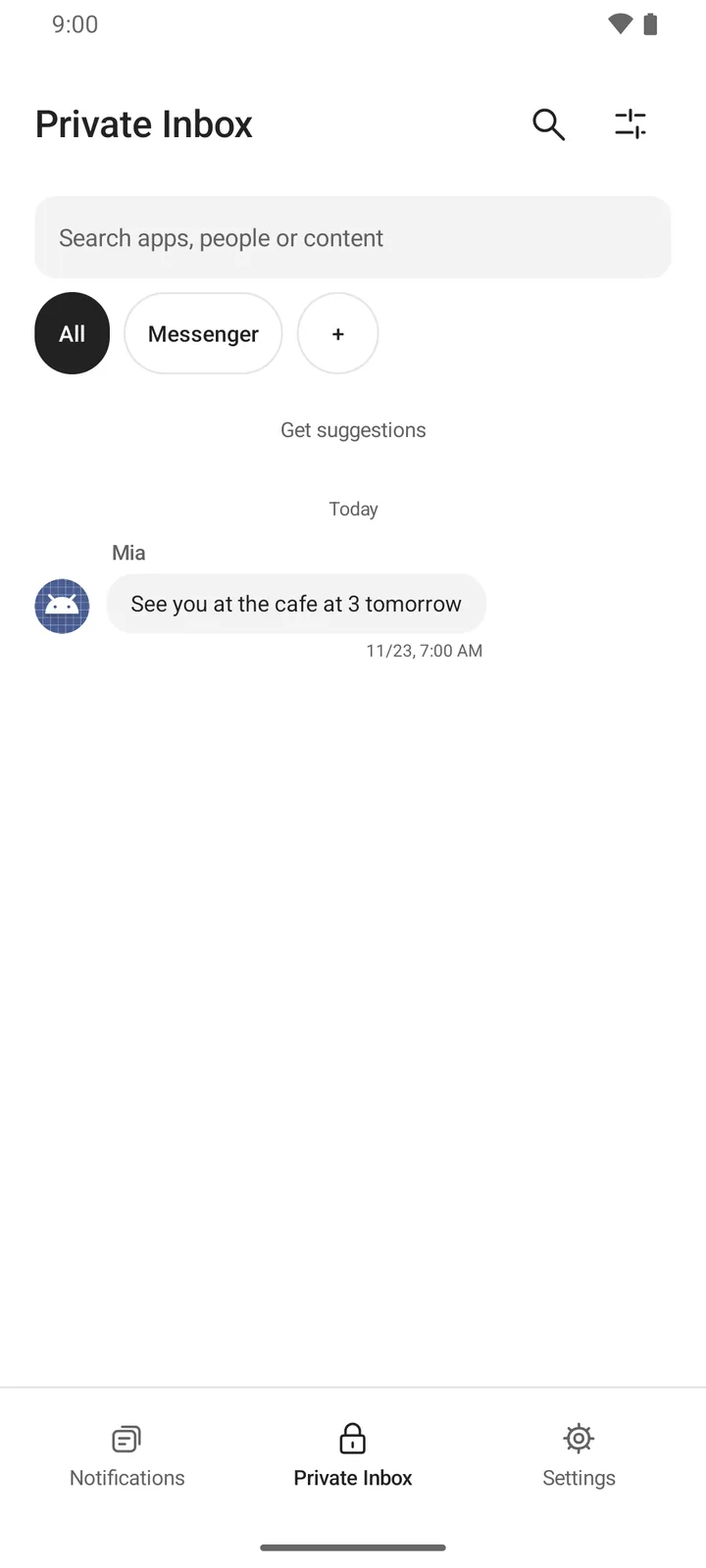
Real screens from public version 1.2.53. Notifications come from demo apps; the free app shows an ad at the bottom.
What you can do
Tap a notification and choose This notification only, By keyword or This whole app. Allow an app again anytime.
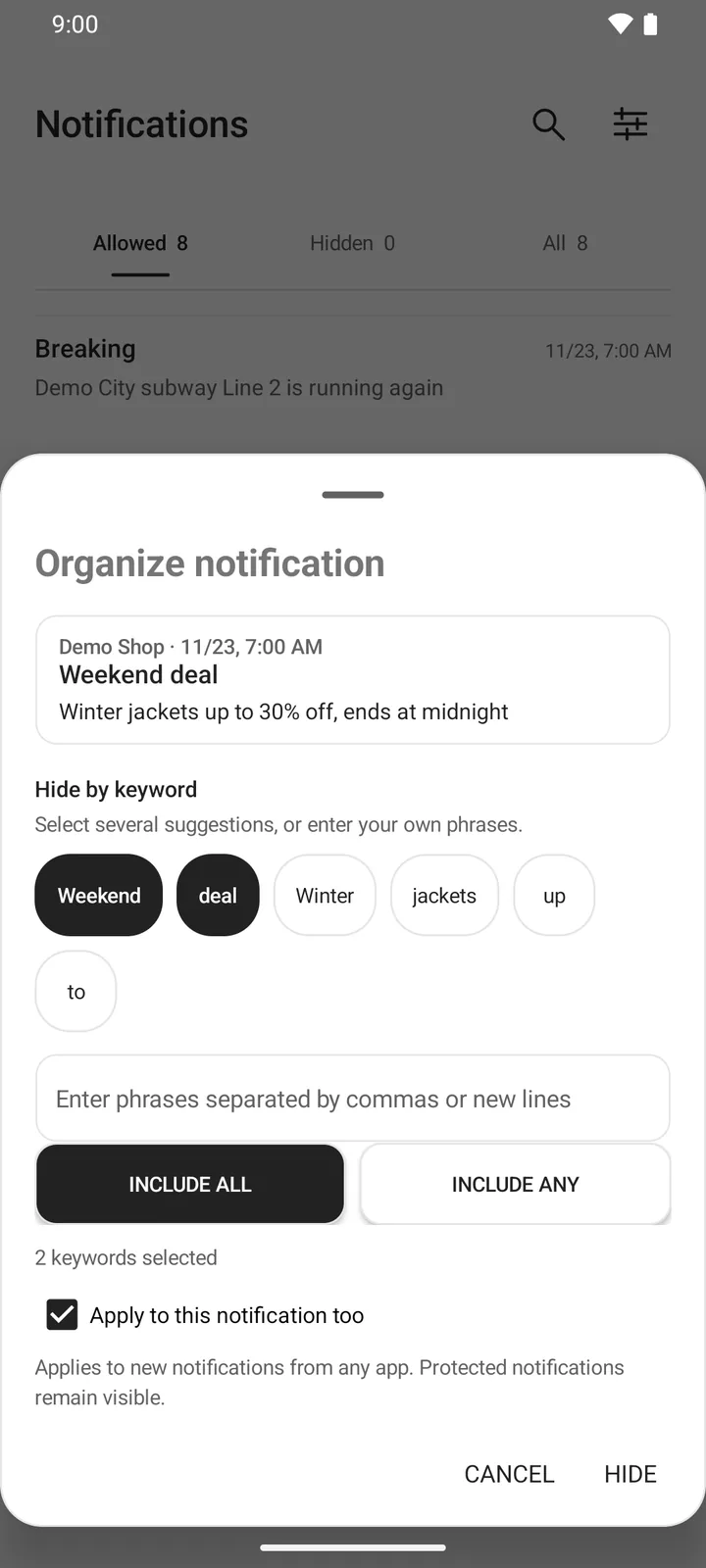
Pick words from the message to make hide or allow keywords, and keep words like verification codes with Always show. Manage them all in Rules.
Hidden notifications stay in the Hidden tab, and keyword-hidden ones show which keyword hid them.
Move message notifications by notification, person, chat, keyword or app and read them like a conversation. Copies are encrypted on this device.
Tap search and the box and keyboard open right away; the list filters as you type, and each tab keeps its own search.
Clear hidden notification records by age or count. A Lifetime Premium feature, off by default.
Free & Lifetime Premium
NotiNutty is free to download. In the free version your own allow and hide keywords are free up to 10 in total, and Private Inbox auto-save rules (person, app, keyword) up to 3 in total.
One payment: no ads · unlimited custom keywords · unlimited Private Inbox auto-save rules · auto-clear for hidden notifications (by age or count) · Private Inbox view style and order · more Private Inbox folders · Private Inbox trash (restore for 7 days) · auto-clear old Private Inbox messages (30 days, 90 days or a year). Not a subscription.
App is free · Lifetime Premium is a one-time purchase. Other regions: see the Google Play checkout price.
You may see a banner at the bottom, one ad inside the Hidden list when it has 7 or more notifications, and a full-screen ad after saving keywords or clearing all hidden notifications. Full-screen ads are spaced between actions and limited to 3 a day in total. If you like, watch an ad to try Private Inbox view style, order and folders for 24 hours. Ads are requested as non-personalised ads only, and Lifetime Premium shows no ads. Change ad settings in Settings › Privacy choices.
English · 한국어 · 日本語 · 简体中文 · 繁體中文(台灣) · 繁體中文(香港) · Español(España) · Español(Latinoamérica) · Bahasa Indonesia · Bahasa Melayu · ไทย · Tiếng Việt · Filipino
Sorting notifications and storing hidden items and Private Inbox happen on your device. The advertising ID is not used, optional usage analytics can be turned off in Settings, and notification or keyword text is never sent as analytics. See the privacy policy for details.
Android · Free download